support@hestor.com 0161 660 1366 UK - 9:30am to 5:00pm (Monday - Friday)
Control: Fancy Fonts OCX
Combining a measure arrangement of features allowing you virtually unlimited possibilities.
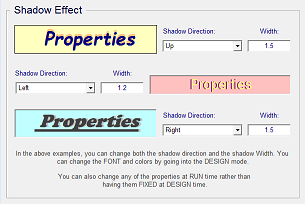
3D / Shadowing:
Fancy Fonts - Active X

Caption
Edging
Flashing
Interval
HTML Active
Shadow Colour
Shadow Direction
Edging
Flashing
Interval
HTML Active
Shadow Colour
Shadow Direction

About
Confirm Key
Enabled
Interval
Confirm Key
Enabled
Interval

GBP (£)
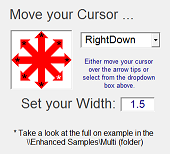
Edging:
You can simply turn on the outer edging
property with or without 3D.
property with or without 3D.
Flashing:
Make your headers stand out with importance by
having them flashing between colours, set your
flash speed,select your font and size.
having them flashing between colours, set your
flash speed,select your font and size.
HTML Link:
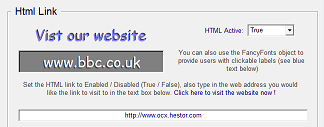
Unlike other controls, you can simply type in your
HTML url address, set HTML active to TRUE
and your user can have instant web access.
HTML url address, set HTML active to TRUE
and your user can have instant web access.
Code Generator:
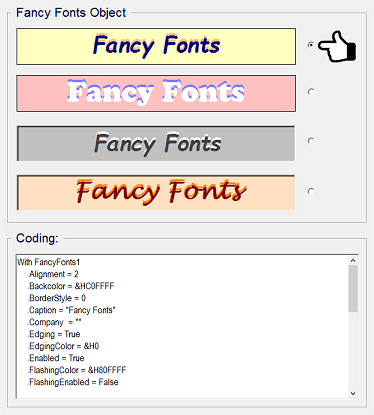
From within the samples folder, enhanced, open the multi
example, run this. Click on one of the four captions, select
all your options from the property drop down boxes.
Click 'Generate Code'
You can now see the code appear on the left hand side, click
the 'Copy Code' button.
Now just paste the code into your application!
Job done.
Ps: You don't have to use Generate Code but it is COOL!
example, run this. Click on one of the four captions, select
all your options from the property drop down boxes.
Click 'Generate Code'
You can now see the code appear on the left hand side, click
the 'Copy Code' button.
Now just paste the code into your application!
Job done.
Ps: You don't have to use Generate Code but it is COOL!

Choose one of
eight shadow
directions, set your
shadow width.
eight shadow
directions, set your
shadow width.